
Land F/X
  • Portal
  • Products
    • Detail F/X
      • Product
      • Features
      • Trial
      • Purchase
    • Planting F/X
      • Product
      • Features
      • Trial
      • Purchase
    • Irrigation F/X
      • Product
      • Features
      • Trial
      • Purchase
    • F/X CAD
    • Plugin for Revit®
    • Plugin for SketchUp®
    • Plugin for Rhino®
    • Site & Hardscape
    • Lighting
    • Manufacturer Connection
    • Academic
    • Purchase
  • Support
    • Knowledge Base
    • Documentation
    • Submit Ticket
    • Updates
    • Forum
    • Install
  • Videos
    • Power Tips
    • Webinars
    • Podcasts
  • Who We Are
    • Contact Us
    • Careers
    • Gallery
    • News
Land F/X
  • Portal
  • Products
    • Detail F/X
      • Product
      • Features
      • Trial
      • Purchase
    • Planting F/X
      • Product
      • Features
      • Trial
      • Purchase
    • Irrigation F/X
      • Product
      • Features
      • Trial
      • Purchase
    • F/X CAD
    • Plugin for Revit®
    • Plugin for SketchUp®
    • Plugin for Rhino®
    • Site & Hardscape
    • Lighting
    • Manufacturer Connection
    • Academic
    • Purchase
  • Support
    • Knowledge Base
    • Documentation
    • Submit Ticket
    • Updates
    • Forum
    • Install
  • Videos
    • Power Tips
    • Webinars
    • Podcasts
  • Who We Are
    • Contact Us
    • Careers
    • Gallery
    • News
  1. Home
  2. Knowledge Base
  3. 3D Rendering
  4. Revit Issues & Info
  5. Uninstall the Planting F/X for Revit® Plugin

    Uninstall the Planting F/X for Revit® Plugin

    Updated on: April 29, 2025

    Issue

    You need to uninstall our Planting F/X for Revit Plugin.


    Solution

    1. Open the Windows Start menu, and type Features in the search field.


    Select the Apps & Features option at the top of the menu.
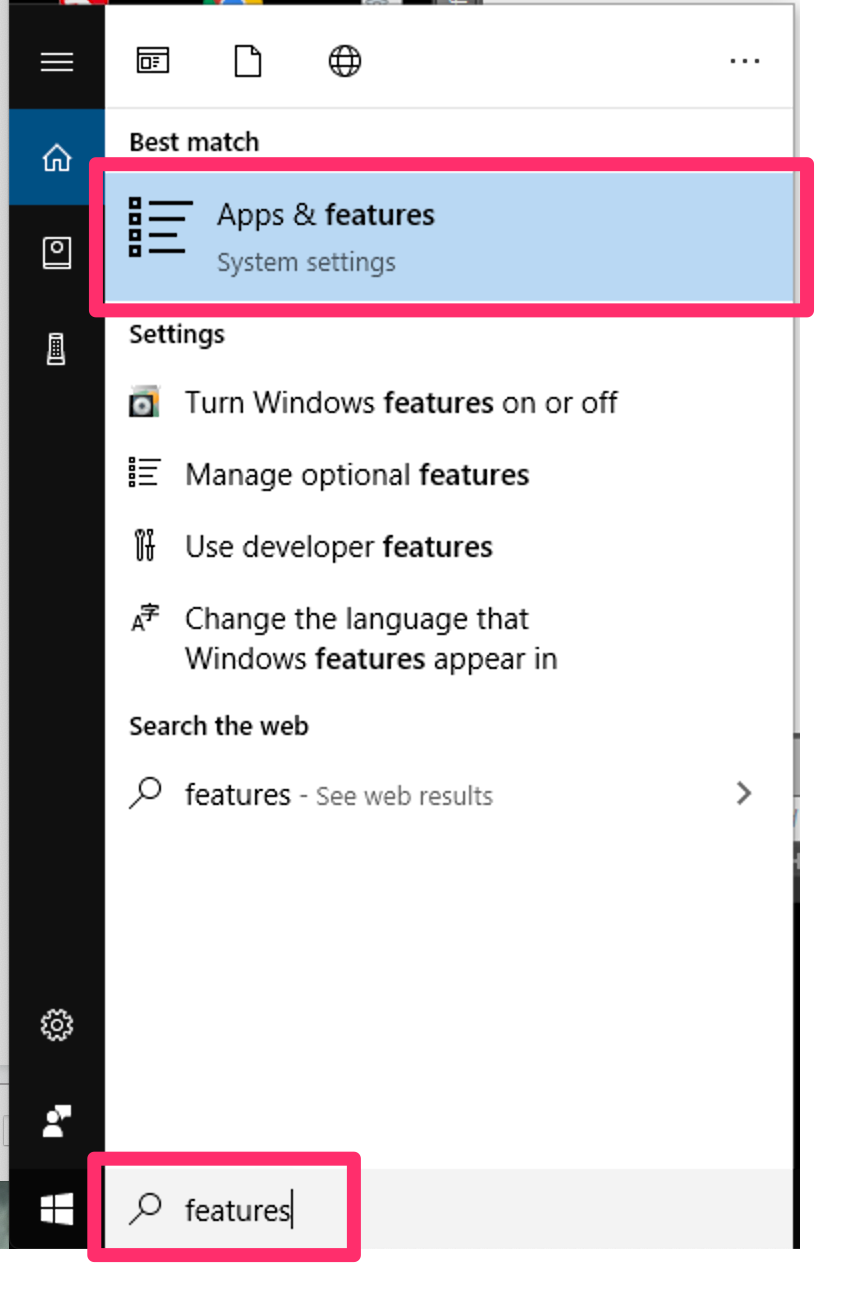
    Start menu, Apps and Features option


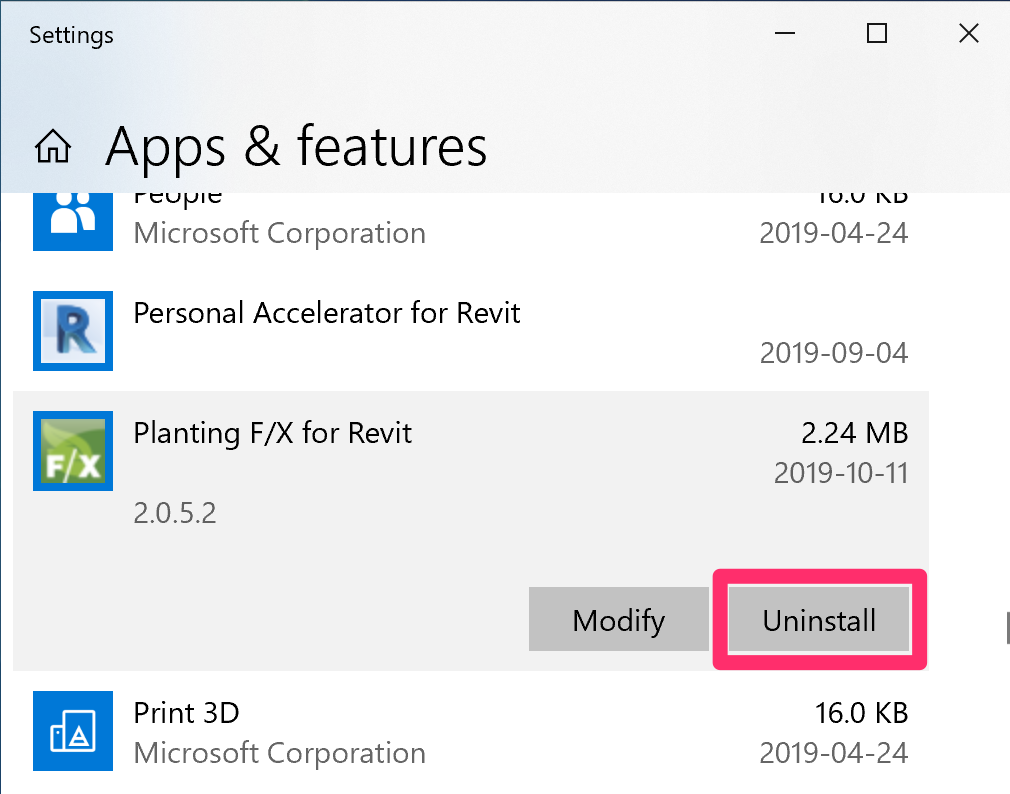
    Apps and Features dialog box, Planting F/X for Revit section, Uninstall button

    2. Select and Planting F/X for Revit, and click Uninstall.

    Do not uninstall any other F/X program if you’re only trying to uninstall our Planting F/X for Revit Plugin.


    3. Click Yes to confirm that you want the app to make changes to your device and uninstall our Planting F/X for Revit Plugin.


    The Planting F/X for Revit Plugin is now uninstalled, and the ribbon will be removed.
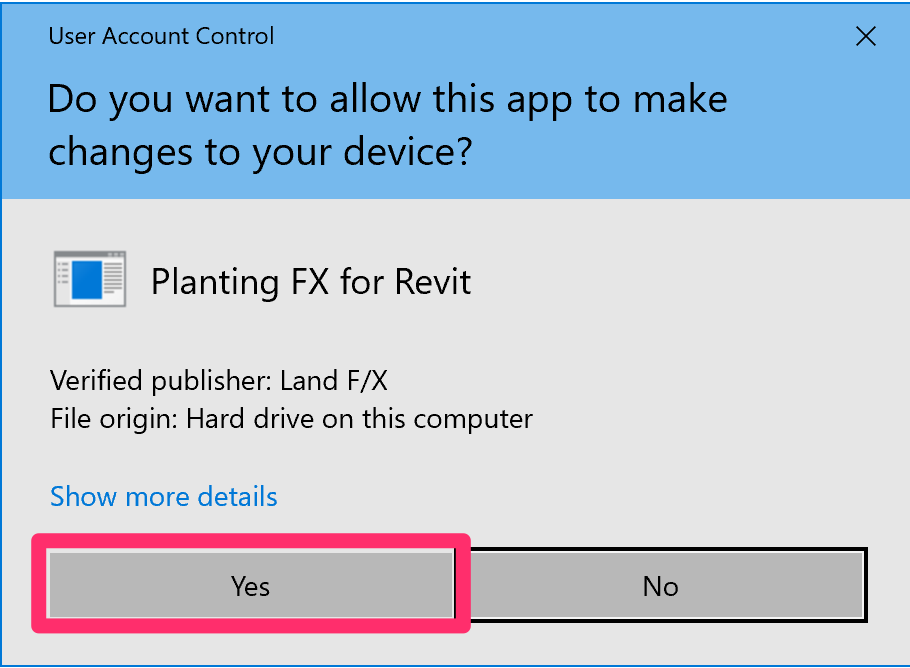
    Do  you want the app to make changes to your device? message


    Troubleshooting

    Issue: Revit could not complete the external command. Contact the provider for assistance.


    Issue: Planting F/X Error: Error Loading Shared Parameter File. No Shared Parameter File Could Be Found.


    Revit® is a restricted trademark of Autodesk®.

    Contact

    • Land F/X
    • PMB 351 3940 Broad St. STE 7
      San Luis Obispo, CA 93401
    • +1 805-541-1003
    Email Logo Facebook Logo Instagram Logo LinkedIn Logo
    Land F/X Logo

    Our software tailors AutoCAD®, Revit®, SketchUp®, and Rhino® to the needs of landscape architects, irrigation designers, and other professionals. We automate your most tedious tasks and ensure accuracy, giving you more time to design.

    • Portal
    • Products
    • Support
    • Videos
    • Who We Are